
Free Android app
OneTill: the free point-of-sale app for small shops
Turn your Android phone into a till. Scan barcodes with the camera, ring up sales in seconds, keep track of your stock and see your profit at the end of the day, with or without internet.

Free to download and use. The free version shows ads; an optional Pro subscription removes them. See the Pro section for what it adds.
- Works offline
- No sign-up needed
- PIN-protected
Features
Everything a small shop needs at the till
Built for corner shops, market stalls and small retail, where the owner is also the cashier.
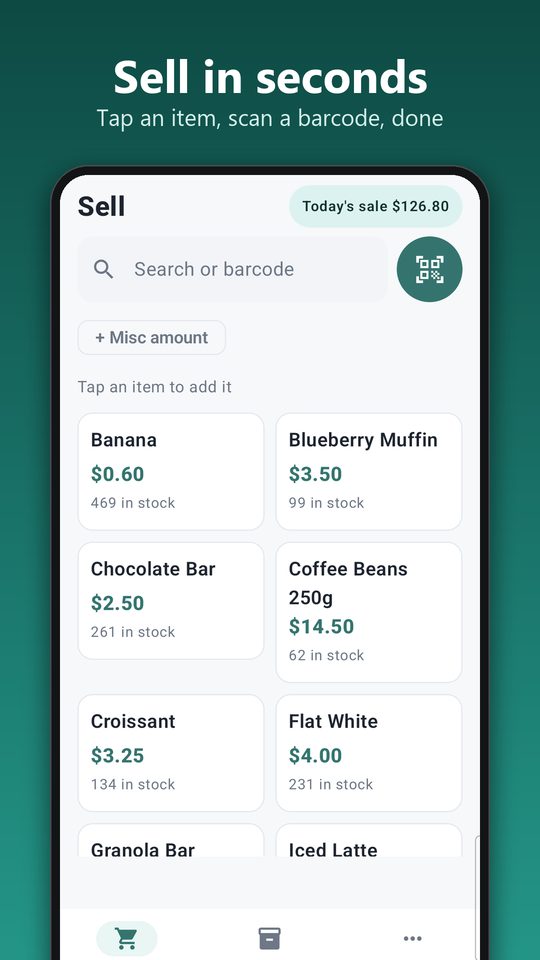
Sell in seconds
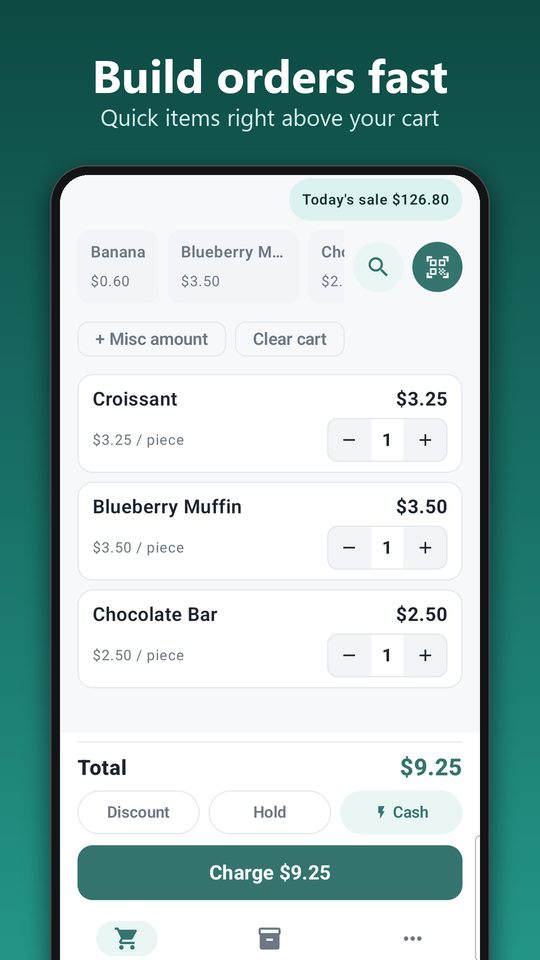
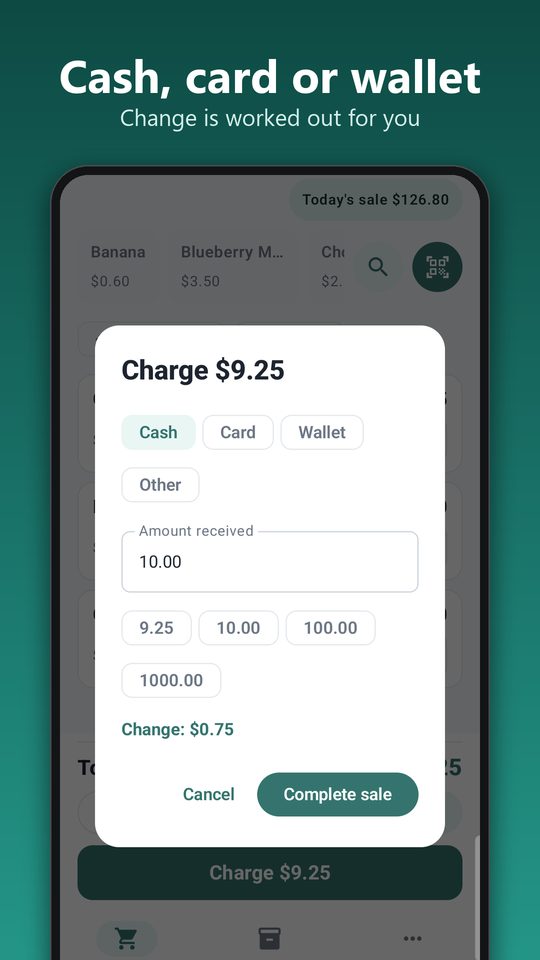
Scan a barcode with the camera, tap a quick item or search by name. Add a discount, hold a bill for later, and take cash, card or wallet payments with the change worked out for you.
Stock that keeps itself
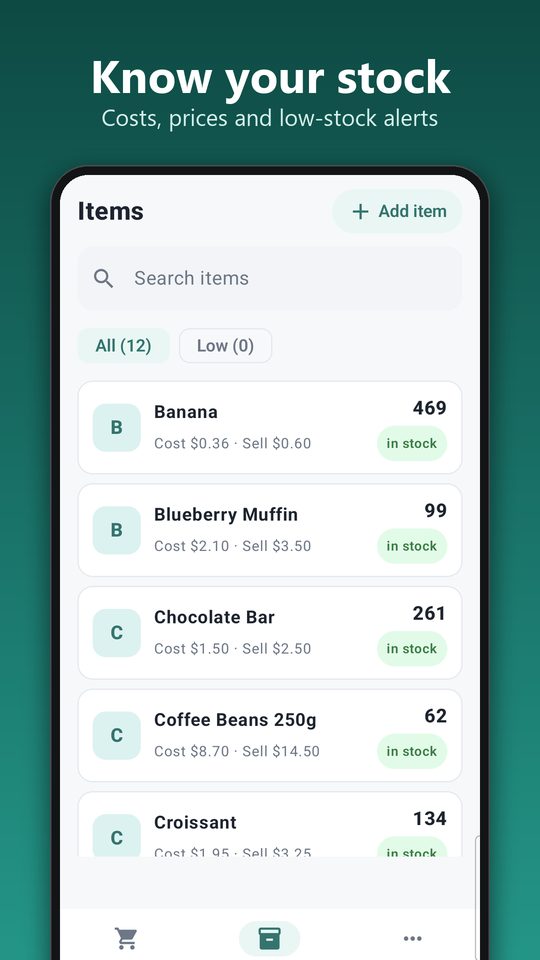
Counts drop with every sale and rise when you receive stock. Low-stock alerts show what to reorder. Import your item list from a spreadsheet (CSV) and print barcode labels for items that don't have one.
Clean receipts
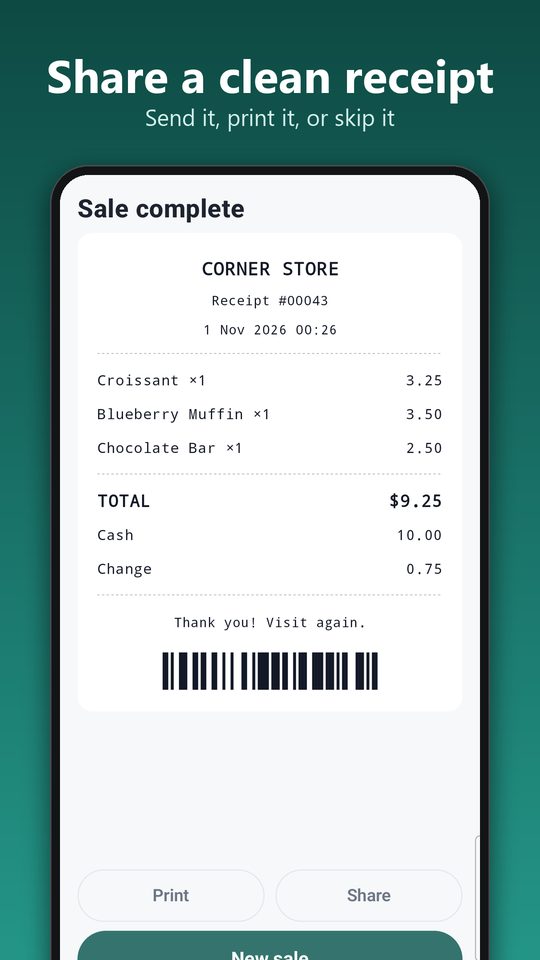
Add your shop name, address and a footer message. Share a receipt as an image, or print it on a 58 mm USB thermal printer.
Daily profit
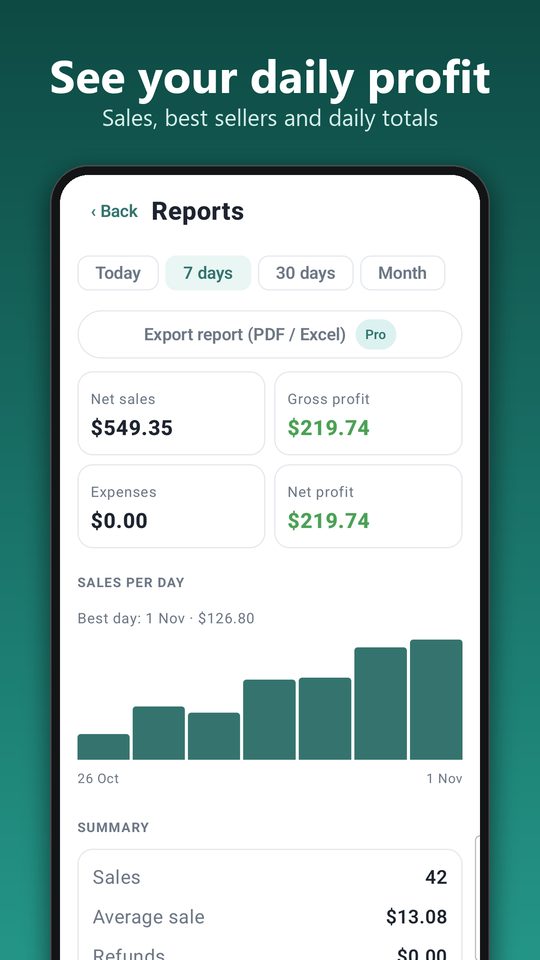
See net sales, gross profit, expenses and net profit for today, 7 days, 30 days or the month, plus your best sellers and a chart of sales per day.
Returns and end of day
Refund a sale in full or in part and put the items back in stock. Count your cash drawer at close and compare it with what you should have.
Private by design
Your records stay on your phone and the app works offline. Lock it with a PIN, and back up to a file or to your own Google Drive.
Enter your shop name, currency and tax settings, and choose a PIN.
Type them in, scan them, or import a CSV file from a spreadsheet.
Scan or tap items, take payment and share or print the receipt.
Screens
See OneTill in action
The sell screen, checkout, receipt, stock list and reports.
Free and Pro
Free to run your shop. Pro for the extras.
Free
Everything you need at the till.
- Selling, barcode scanning and checkout
- Stock tracking and low-stock alerts
- Receipts to share or print
- Reports, expenses and end-of-day count
- Backup to a file or Google Drive
- Supported by ads
OneTill Pro
An optional subscription.
- No ads
- Photos on your items
- Export reports as PDF or CSV
- Your logo on receipts
- Automatic daily Google Drive backup
The price and any trial offer for Pro are shown in Google Play, in your own currency. You can cancel any time from your Google Play subscriptions.
FAQ
Questions people ask
Is OneTill really free?
Yes. You can download it and run your shop with it at no cost. The free version shows ads. An optional Pro subscription removes the ads and adds a few extras.
Does it need internet?
No. Selling, stock, receipts and reports all work offline. Internet is only used for ads, Google Drive backup and purchases through Google Play.
Do I need to create an account?
No OneTill account is needed. You choose a PIN to lock the app. Signing in to Google is only needed if you want to back up to your own Google Drive.
What if I lose or change my phone?
Back up to a file or to your Google Drive, then restore it on the new phone. Your items, sales and settings come back with it.
Which printers work?
58 mm thermal printers connected by USB (you need a USB-OTG cable for most phones). You can also share any receipt as an image. Bluetooth printing isn't supported yet.
Can I bring in my existing item list?
Yes. Import items from a CSV file, which any spreadsheet app can export. You can also export your items again at any time.
What data does the app collect?
Your shop records stay on your phone. The app also uses analytics and shows ads, which is explained in full in the Privacy Policy.
Put a till in your pocket
Install OneTill, add a few items and ring up your first sale in minutes.